Vehicle data as an operational interface.
CanVision connects live OBD2 data, GPS context, and custom hardware into a purpose-built telemetry system for monitoring and reviewing vehicle behavior.
Endpoint engineering, automation, software delivery, infrastructure operations, and technical integration — backed by enterprise experience and independent systems work spanning telemetry, GIS platforms, embedded hardware, and realtime visualization.
Based out of Southern Oregon, I bring career-tested enterprise systems experience into ambitious project work, building practical tools that connect operations, data, hardware, and field-ready interfaces.
AWS
GitHub
Docker
GitLab
VMware
SQL
Microsoft Intune
Symantec EP
WiresharkRealtime vehicle telemetry, custom CAN hardware, GPS-aware map context, dashboard views, and session analytics.
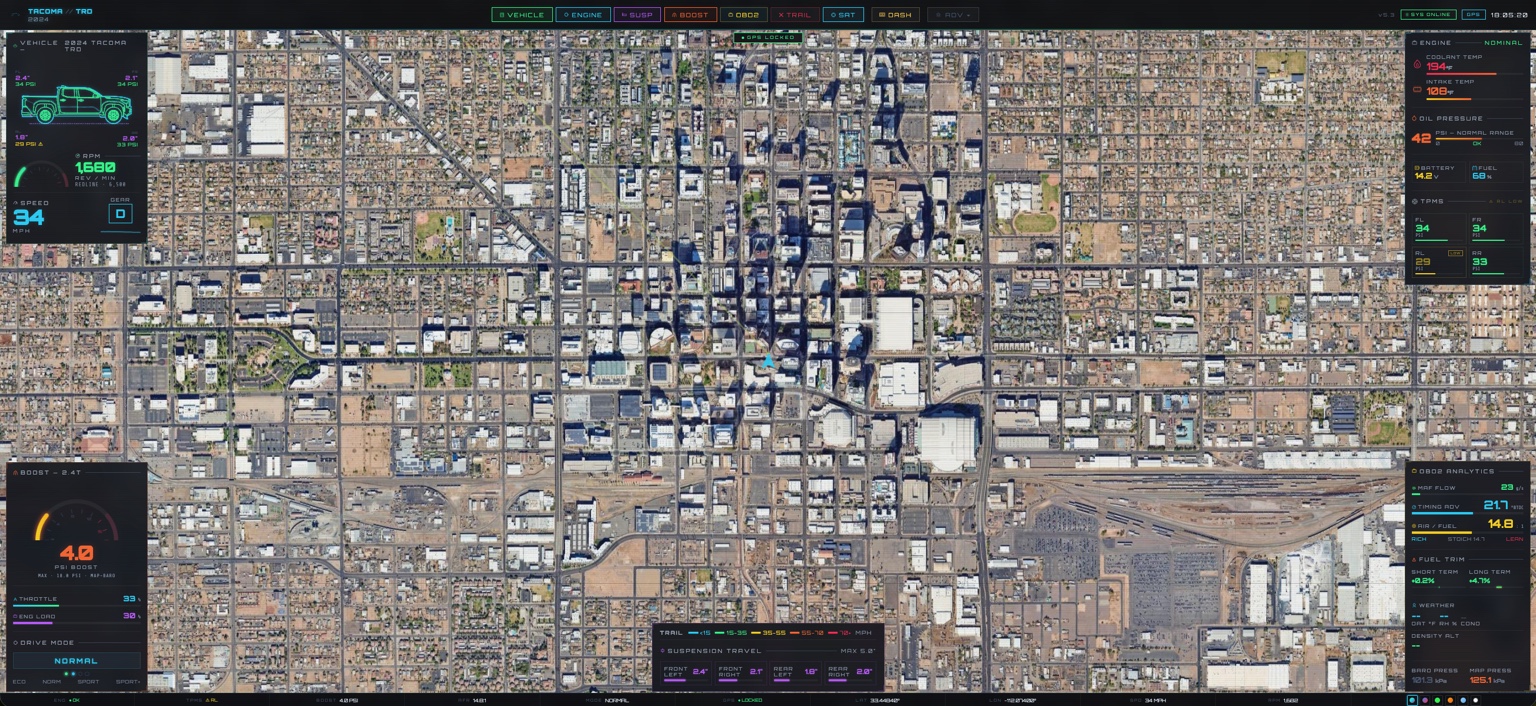
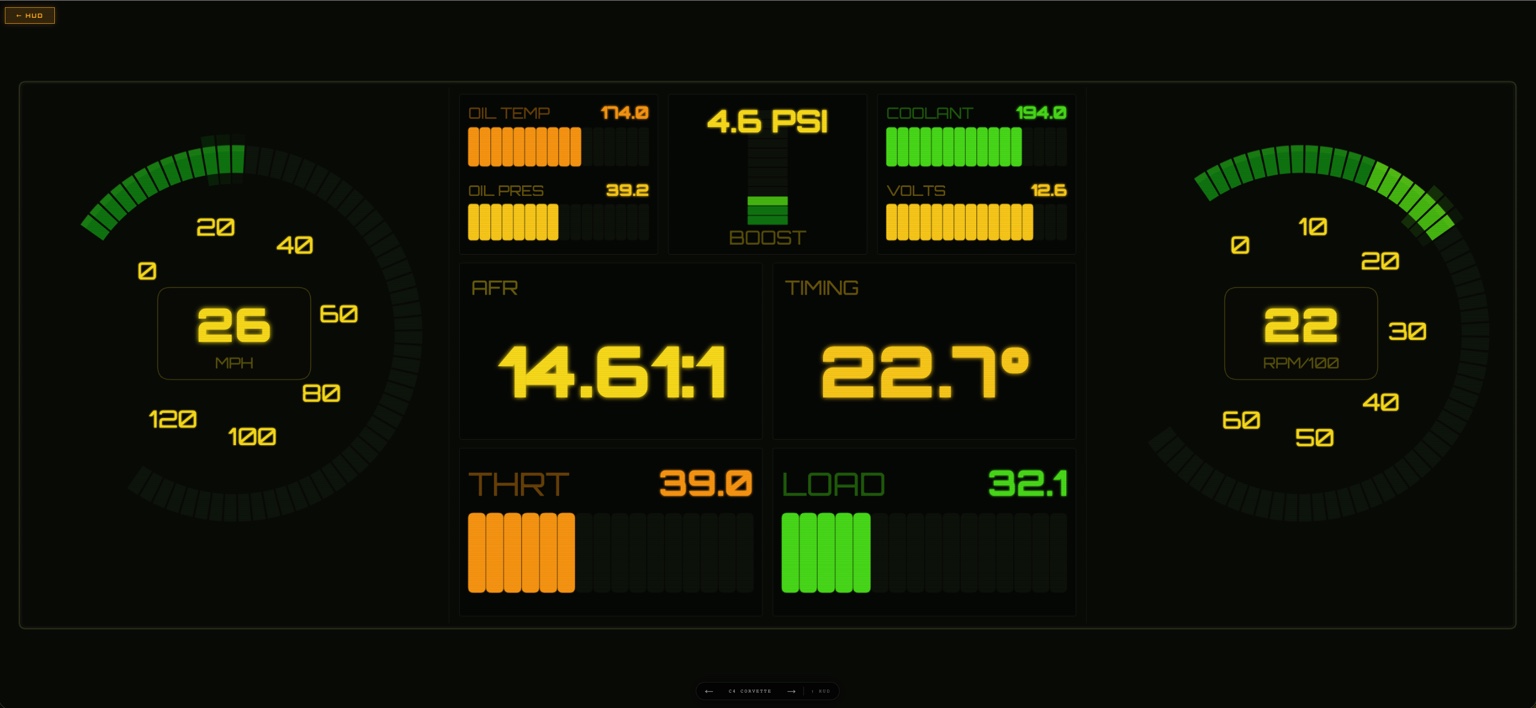
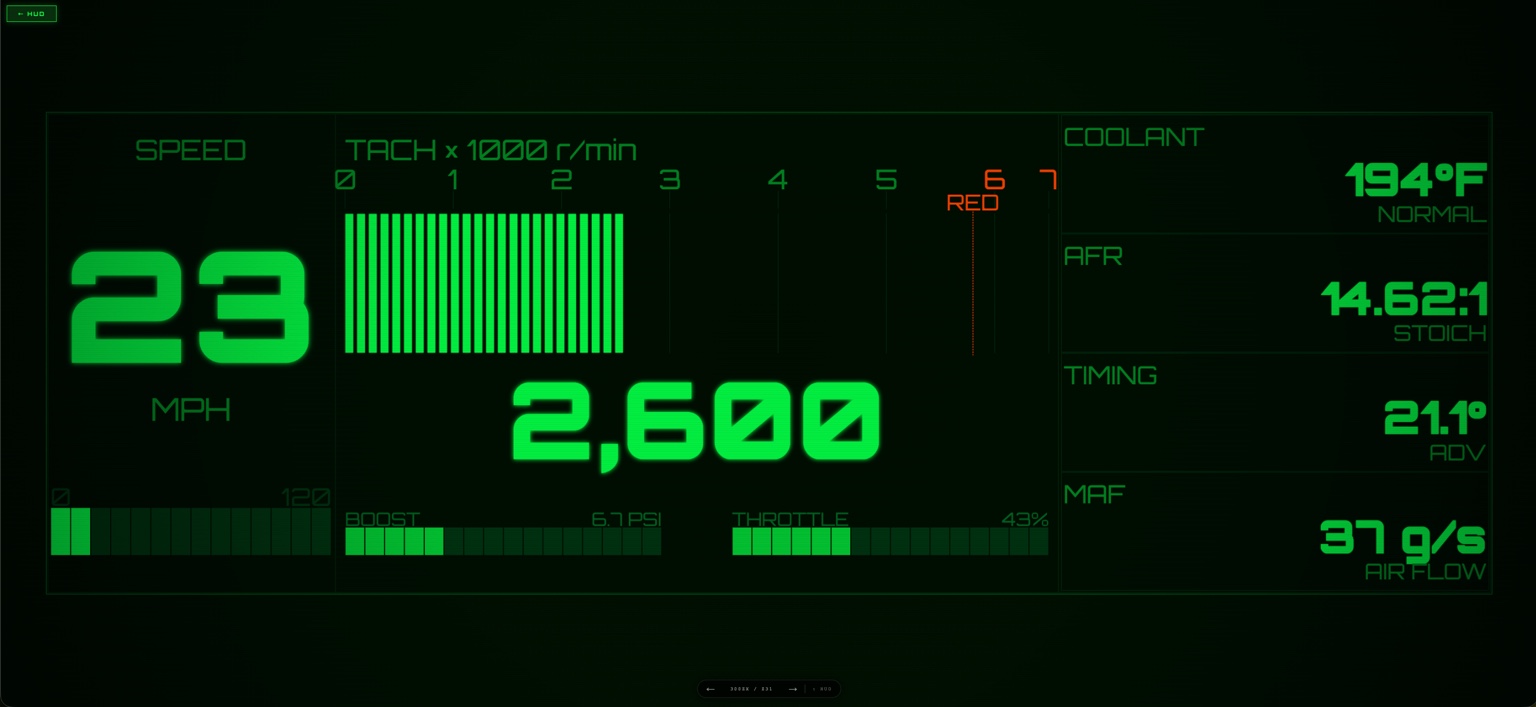
CanVision connects live OBD2 data, GPS context, and custom hardware into a purpose-built telemetry system for monitoring and reviewing vehicle behavior.
CanVision turns OBD2 and vehicle telemetry into compact operating views designed for fast interpretation while driving, testing, or reviewing a session.
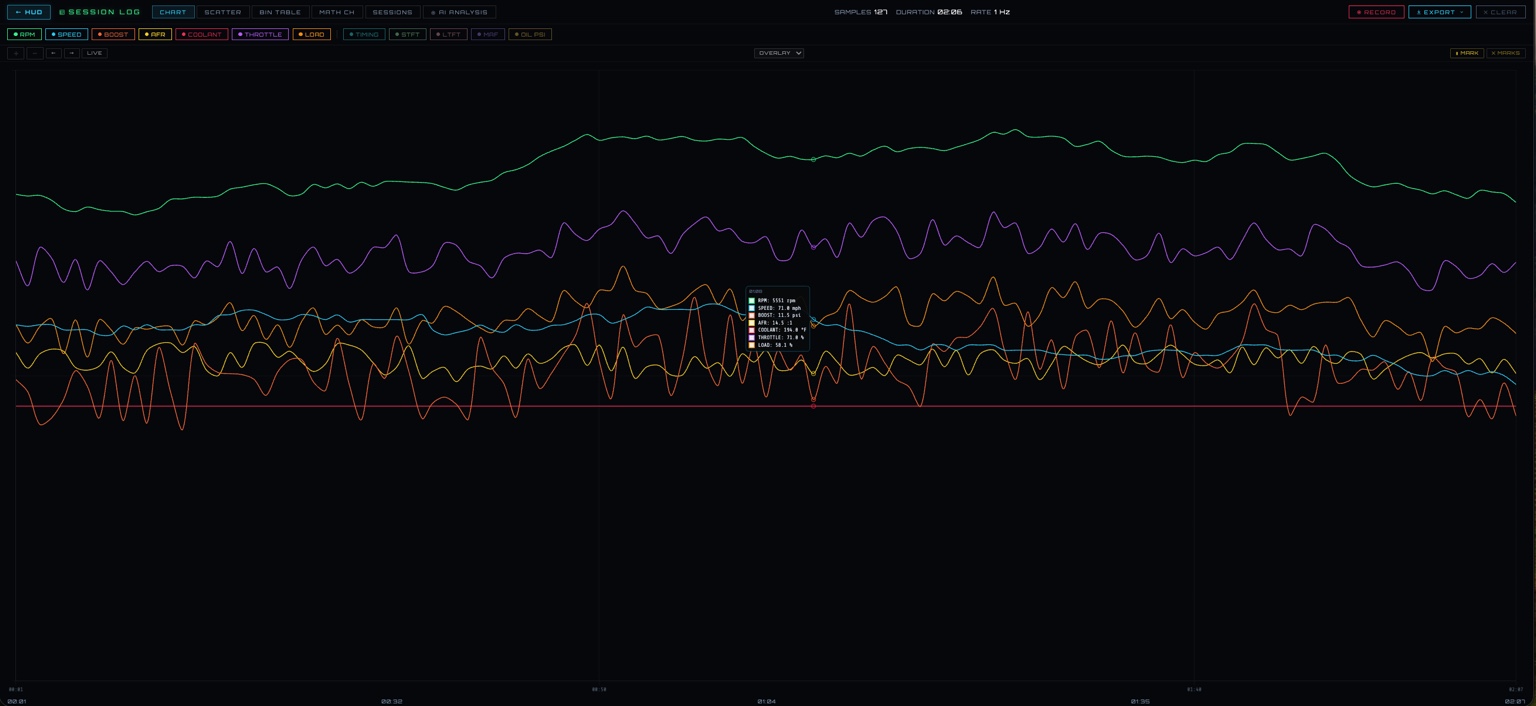
The analytics view gives the project a second mode: not just live display, but post-run review of sensor behavior and performance relationships.
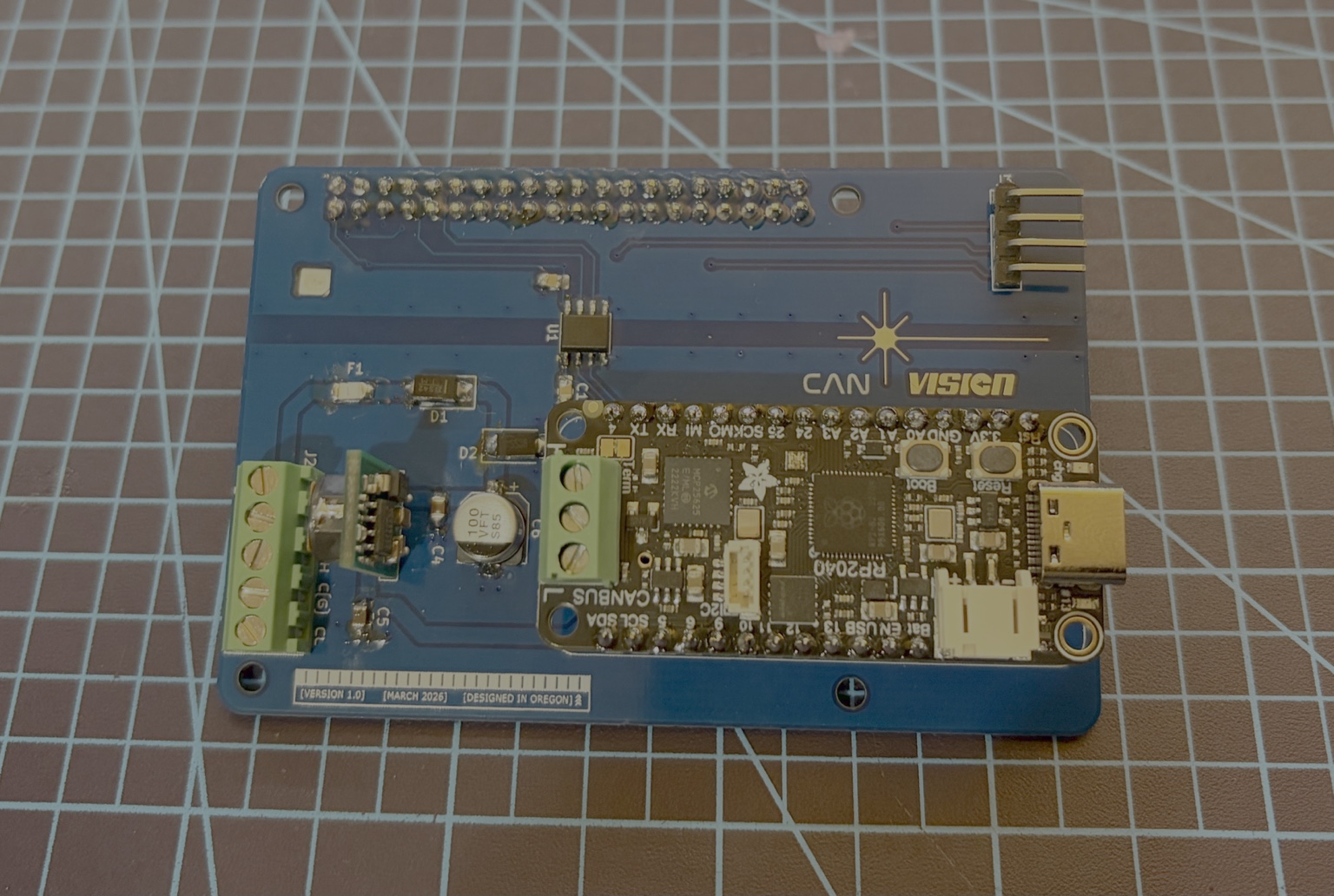
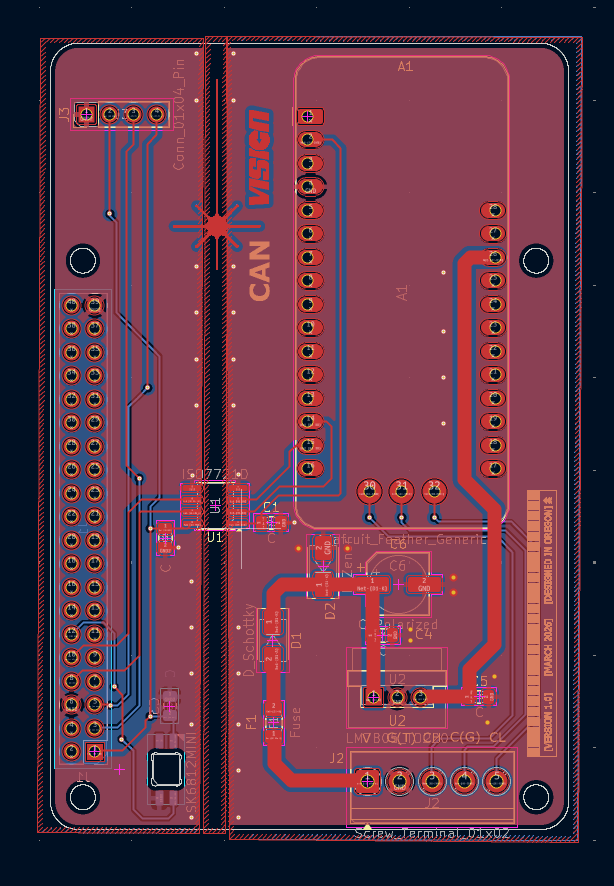
CanVision uses a Raspberry Pi HAT that bridges vehicle CAN data into the Pi, with an RP2350 handling CAN messages and serial transport.
CanVision combines embedded hardware, realtime telemetry, data visualization, networking, and operational UX into one integrated platform.
Self-hosted geospatial platform for wilderness planning, terrain analysis, historical overlays, and field-oriented mapping.
Atlas is built around exploration workflows: terrain visualization, layered overlays, historical topo research, waypoint systems, and field planning.
Atlas is designed for LIDAR anomaly research, site mapping, historical research, and expedition planning.
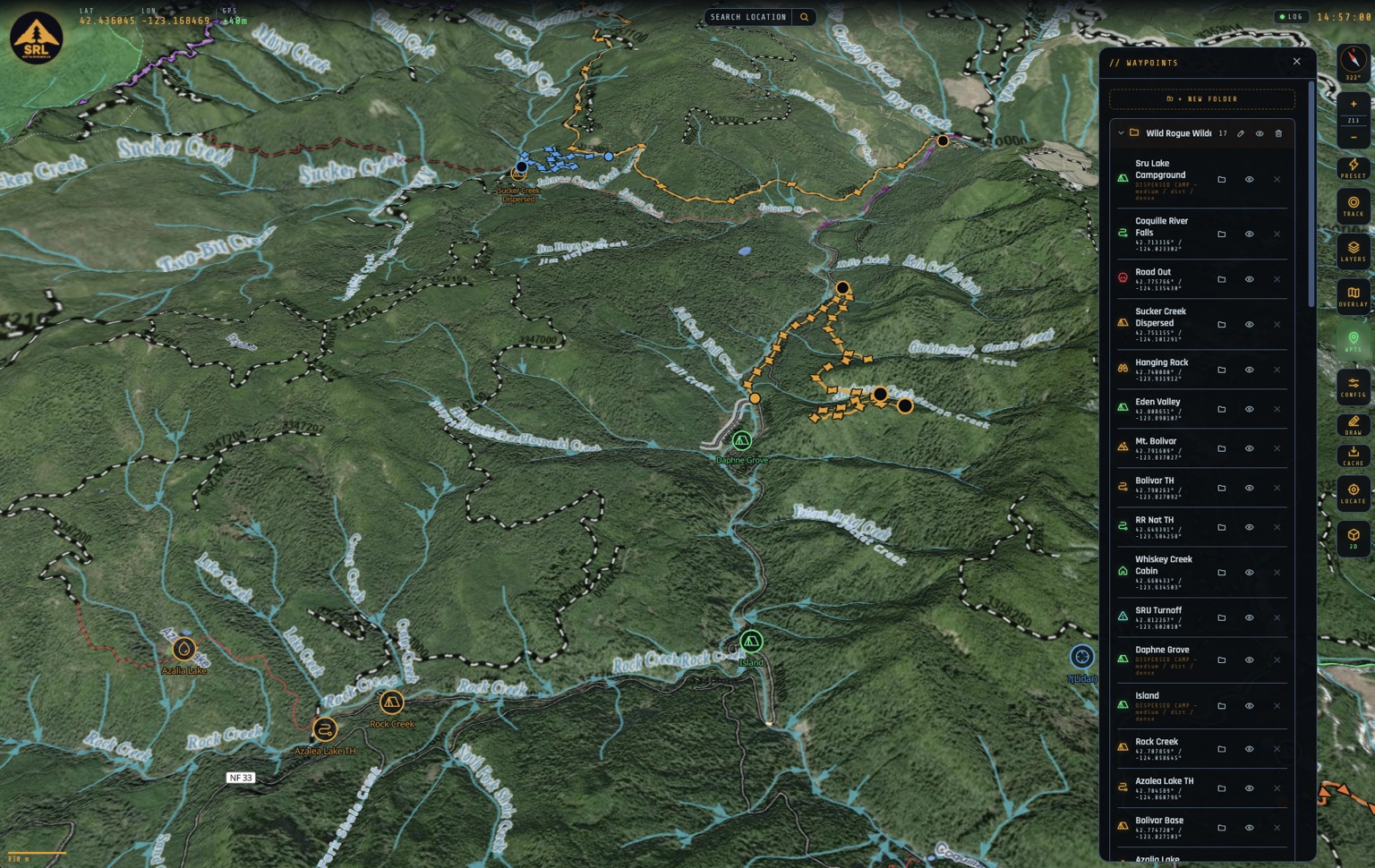
Typed waypoints, line and polygon geometry, attached drawings, clickable shapes, centroid icons, visibility cascades, and detail cards make the map useful as a field workspace.
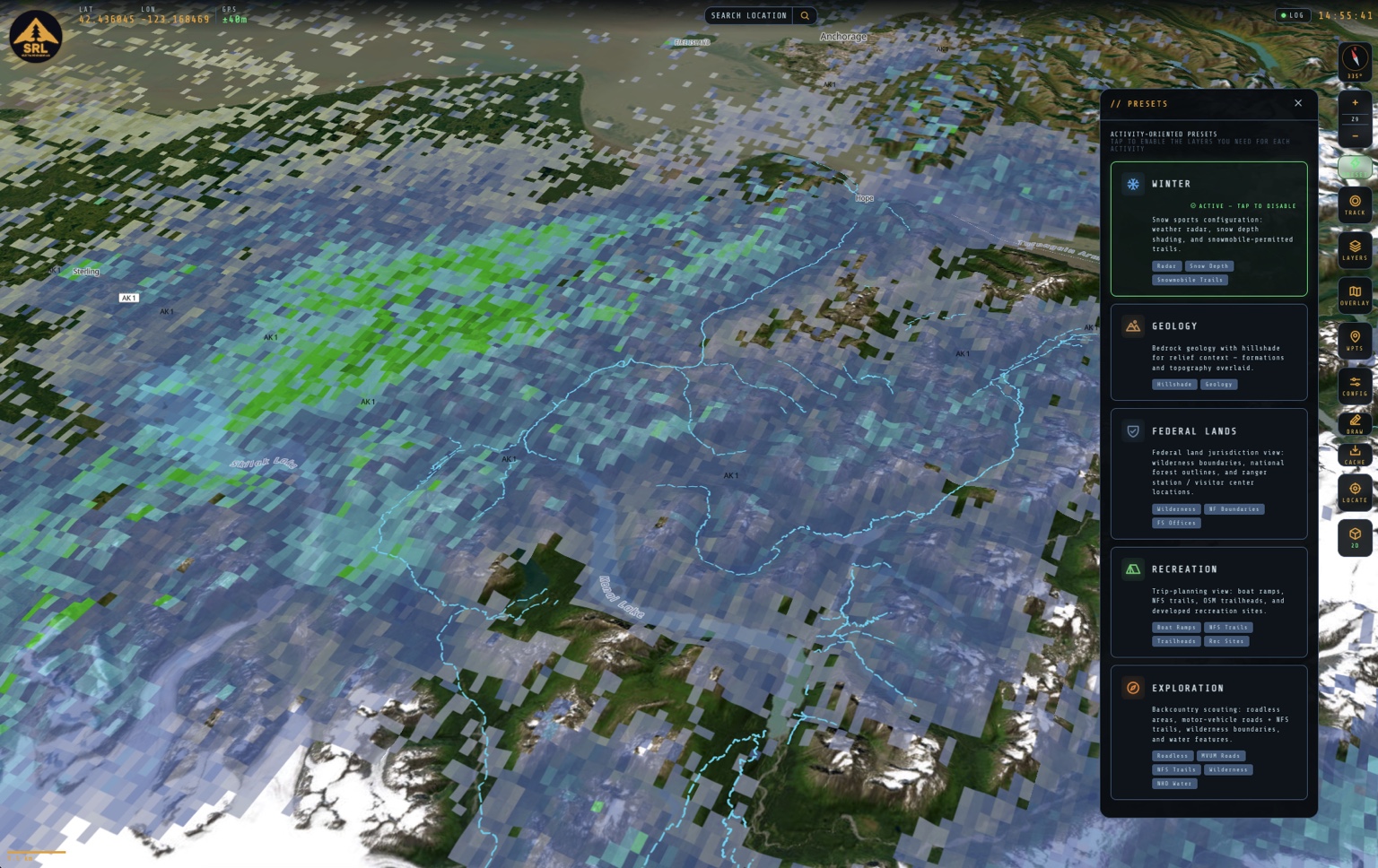
Atlas combines terrain, geology, weather, land management, wilderness, recreation, hydrology, and historical mapping datasets into a unified operational mapping environment.
The project favors live sources where possible, local processing where needed, validation gates before expansion, and practical infrastructure over speculative complexity.
Multi-role MIDI chord synthesizer and HID macro deck spanning PCB design, firmware architecture, realtime input handling, CAD design, and physical hardware integration.
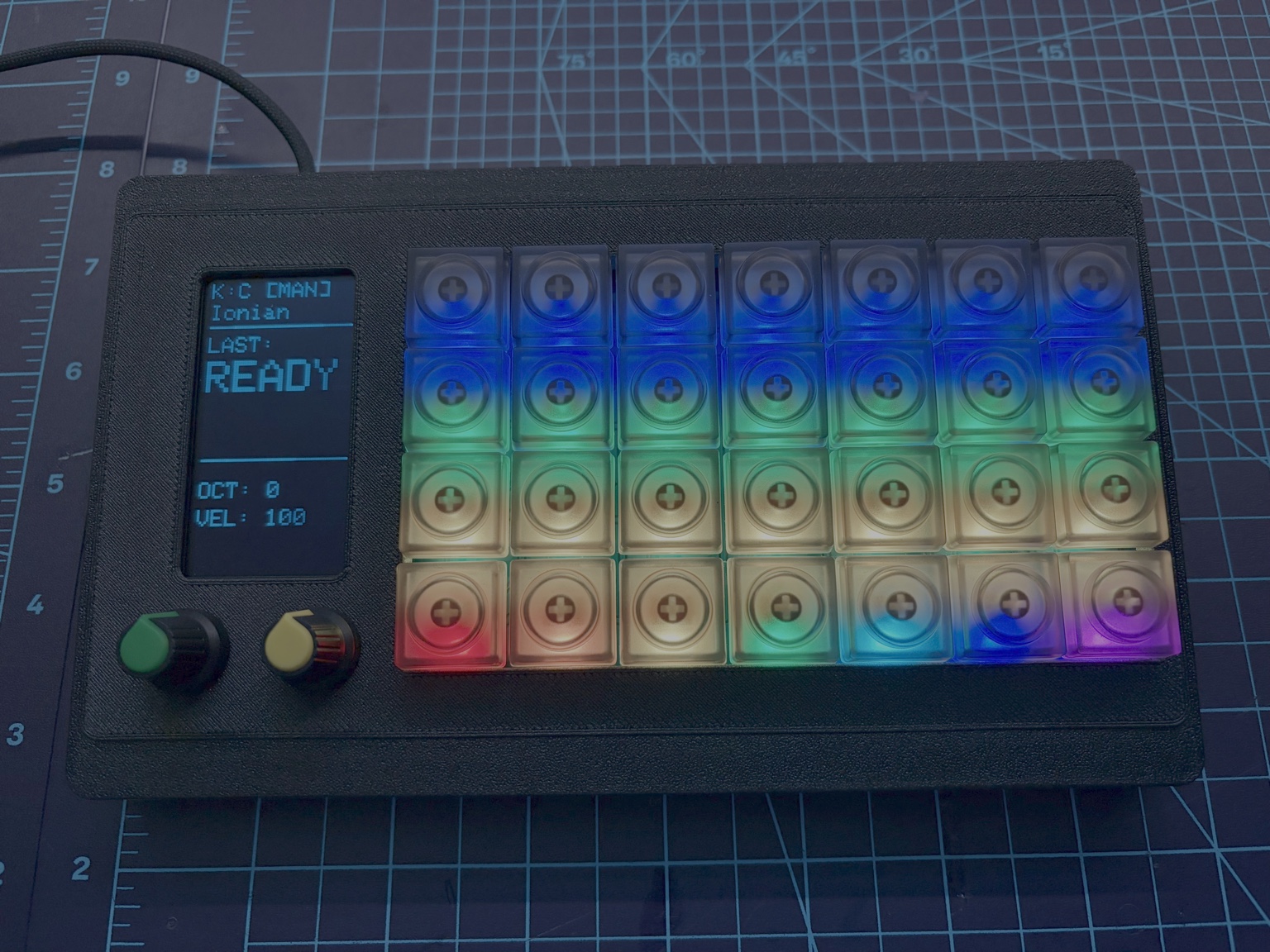
Voyager combines embedded firmware, realtime input systems, OLED UI workflows, RGB state management, USB HID integration, and custom hardware into a multi-role MIDI chord synthesizer and HID macro customization platform.
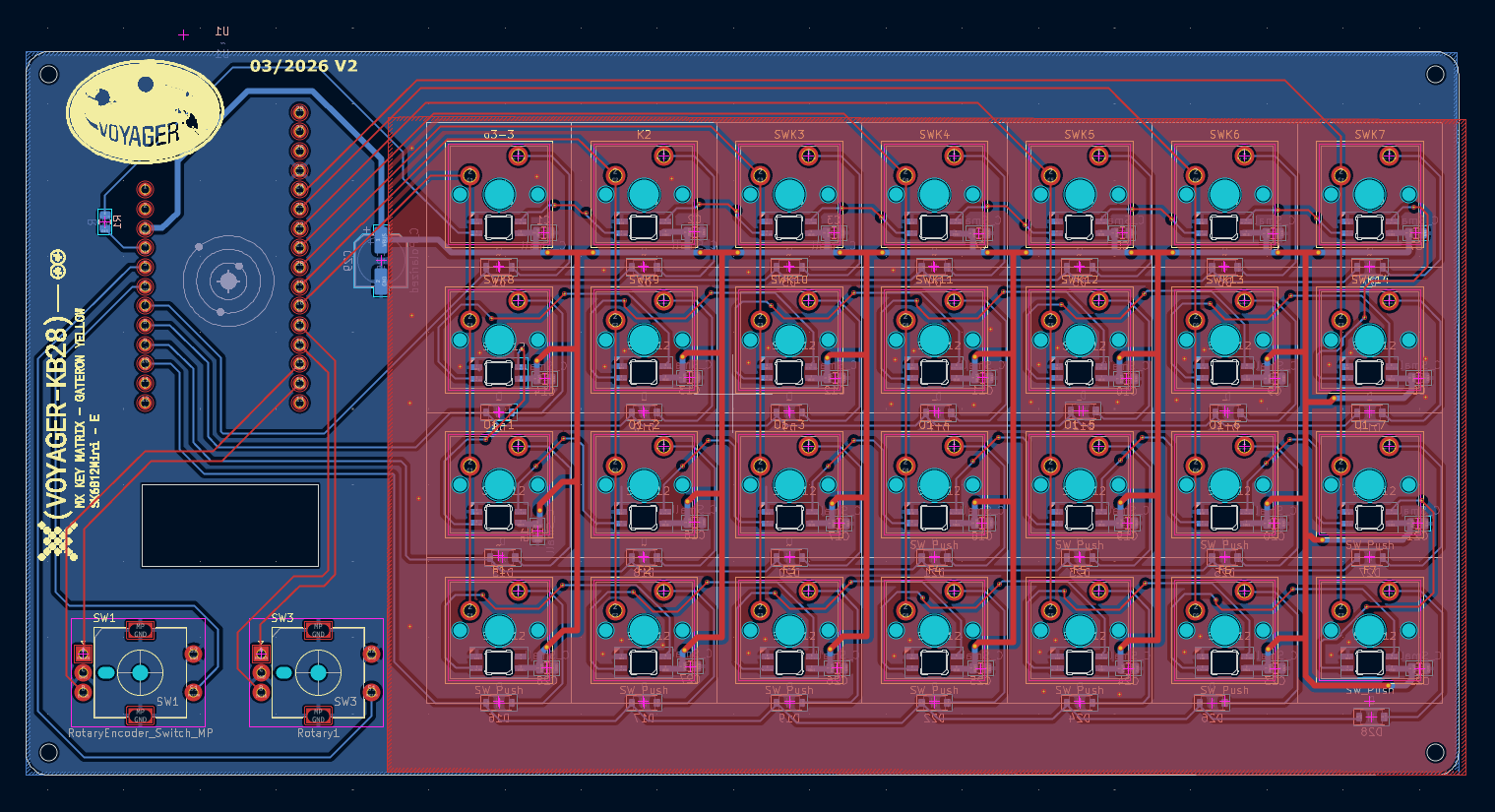
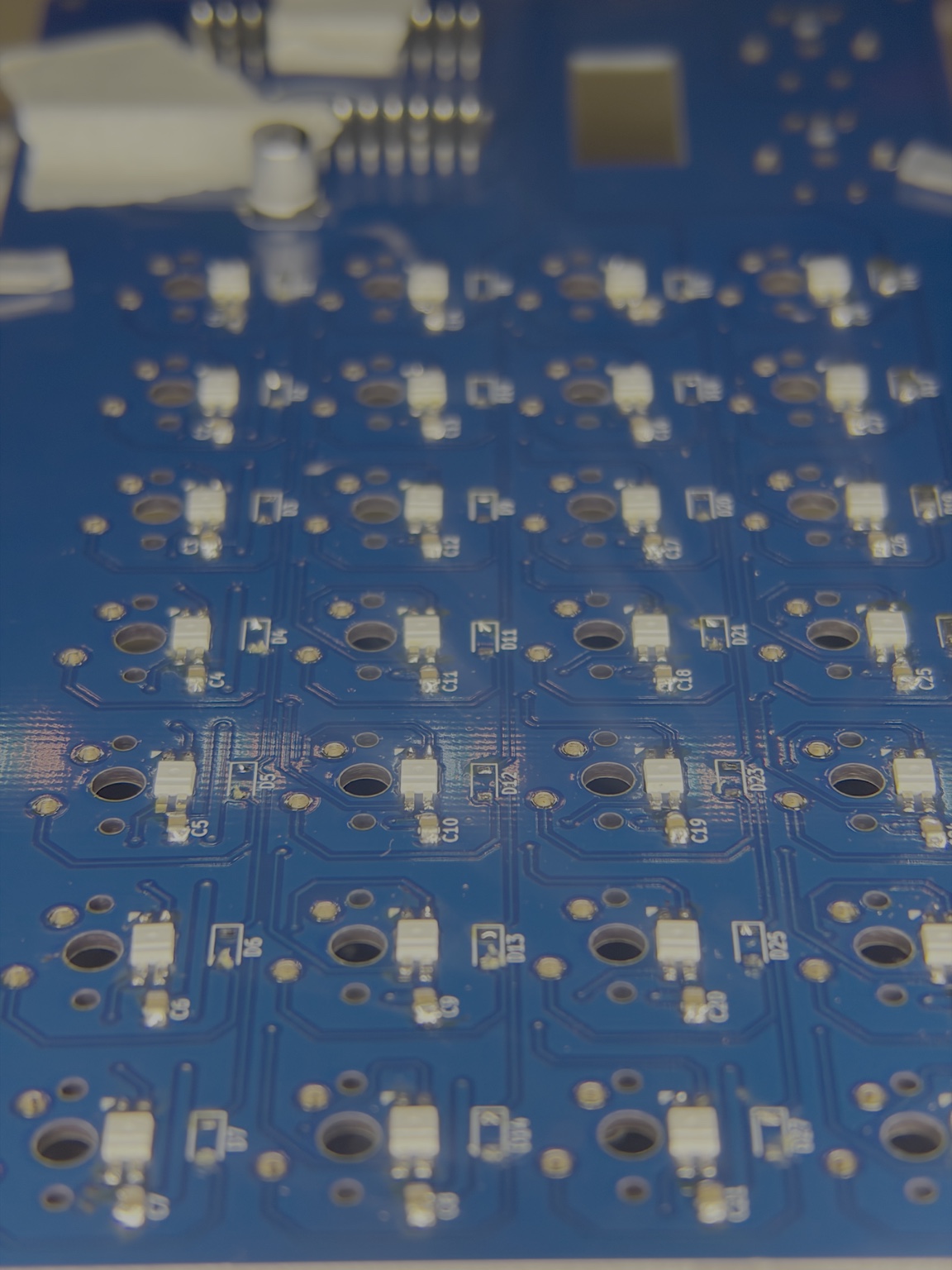
Voyager began as a custom PCB layout built around a large key matrix, rotary controls, display integration, and embedded controller connections.
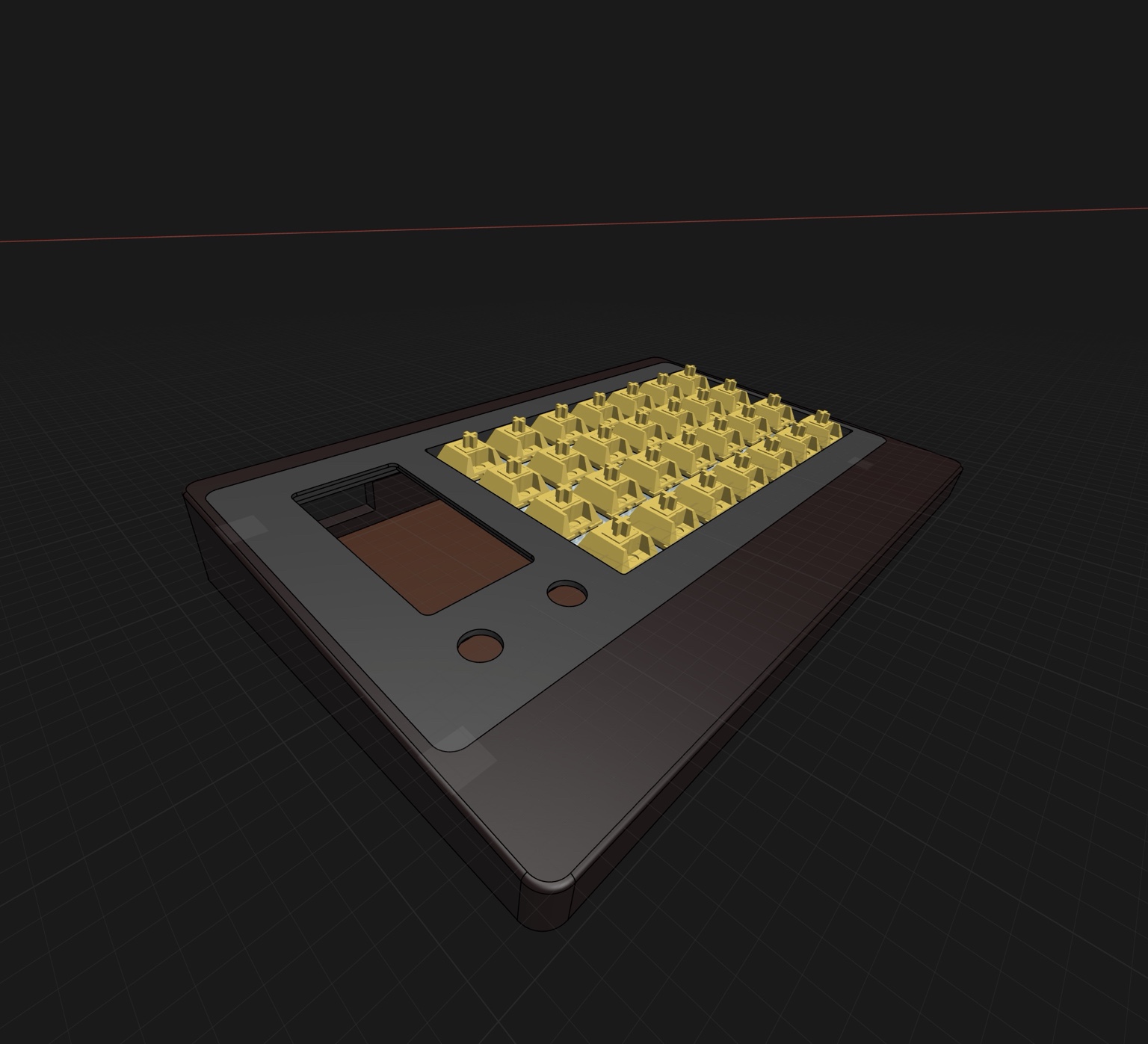
Voyager uses CAD not just for visualization, but as a core engineering layer tying together PCB geometry, enclosure tolerances, display placement, ergonomics, cable routing, 3D-printed prototypes, and manufacturable physical layout.
The board was manufactured and assembled, turning the design into physical hardware that can be tested, debugged, and integrated into the final device.
The same physical hardware dynamically reconfigures across multiple interaction modes with dedicated LED states, OLED behavior, HID mappings, and latency-sensitive processing paths.
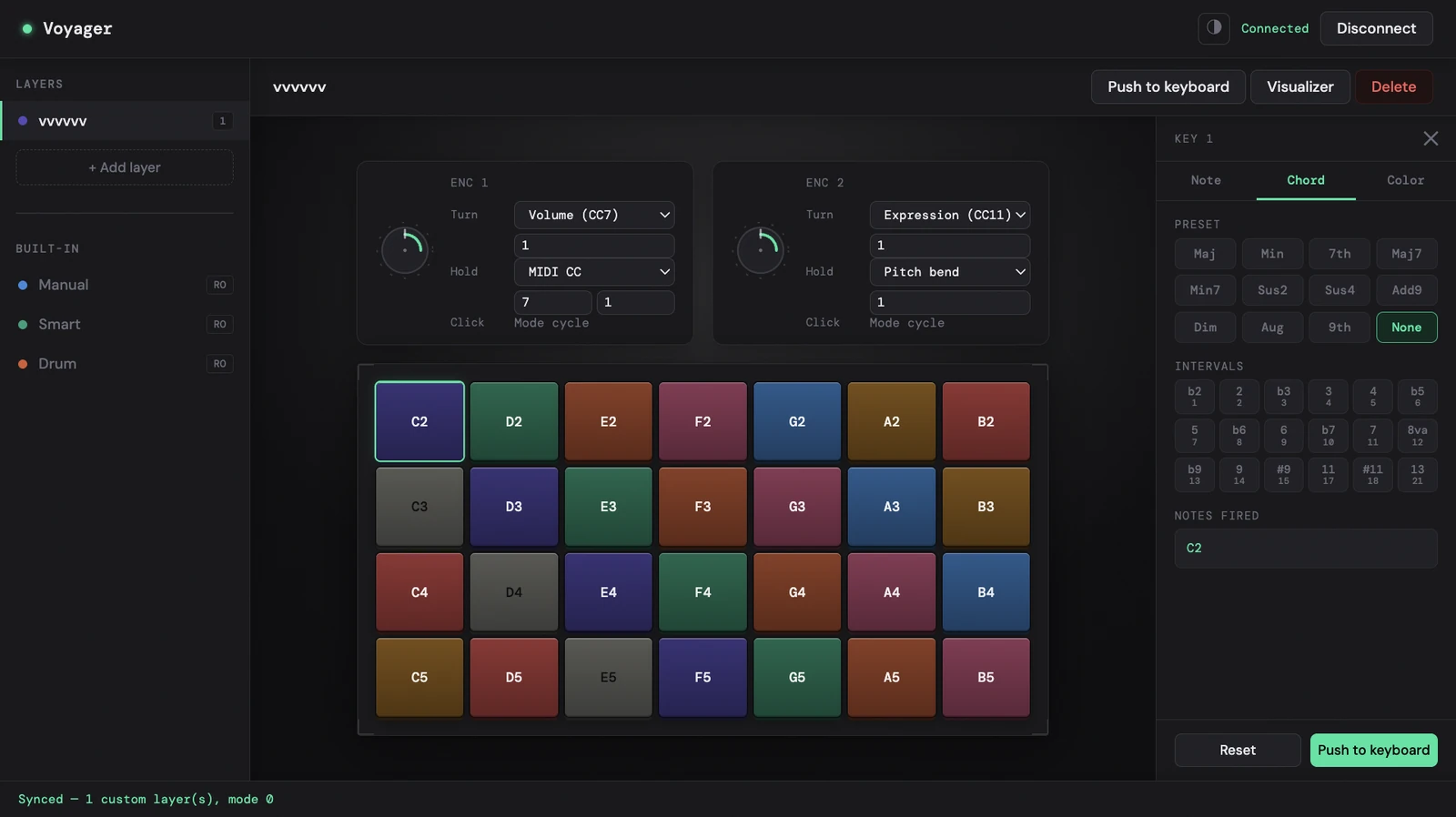
A GitHub Pages-hosted Web Serial configurator connects directly to the hardware, making custom performance layers editable without a desktop install or manual firmware edits.
Enterprise operations experience combined with independent engineering across telemetry, geospatial systems, embedded hardware, automation, and deployment.